
FindX
A web app that checks a photo against registered missing-person cases and, on a match, alerts the nearest police station.
- When
- November 2023
- Area
- Four police stations in north-west Mumbai
- Type
- Django web app with face recognition
- Stack
- Python, Django, DeepFace, OpenCV, SQLite, Bootstrap
- Problem
- Someone who spots a missing person usually can't tell if they really are missing, or which police station to call.
- Solution
- Upload a photo. FindX compares the face with every registered case and routes a match to the right station automatically.
- Result
- A working citizen app and police portal: case registration, face matching, station alerts, messaging and PDF case reports.
The problem
Missing-person posters depend on someone recognising a face and then knowing what to do about it. A passer-by rarely knows whether the person in front of them is actually on a list, and even if they are sure, the case belongs to one station while the sighting is near another.
FindX splits the work into two sides. Citizens get one job: take a photo. Police register cases and receive the alerts.
How a scan works
Upload a photo
A citizen who thinks they've seen a missing person uploads a picture. The browser sends their location along with it.
Find the face
MTCNN, a face detector, finds and crops the face. If there is no clear face, the scan stops and says so instead of guessing.
Compare it
DeepFace turns the face into a VGG-Face embedding and measures its cosine distance to every registered missing person's photo. Those embeddings are computed once and cached, so a scan doesn't redo them.
Alert the police
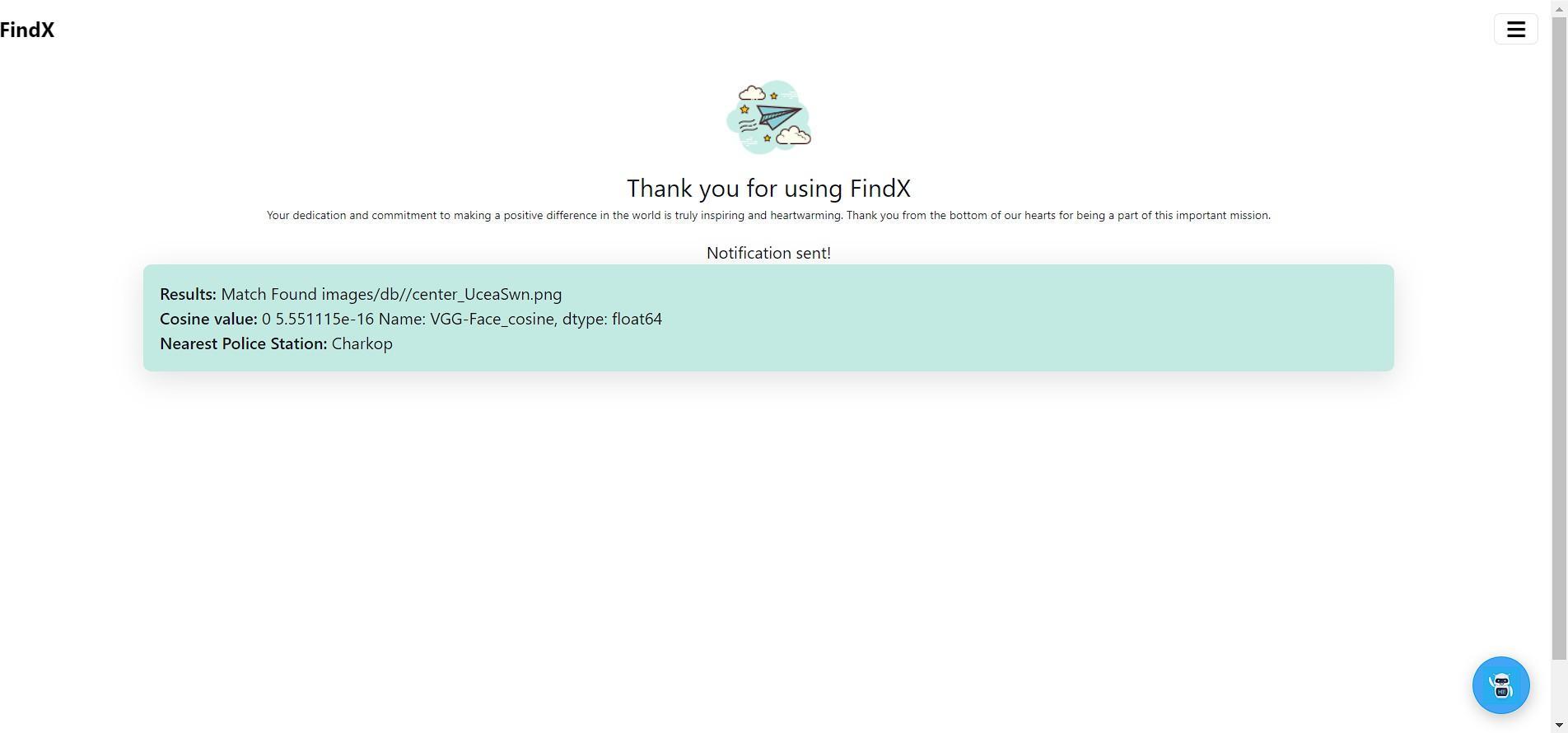
If the closest face is near enough, FindX notifies two stations: the one nearest the sighting and the one that registered the case.

What counts as a match
Cosine distance runs from 0, the same face, upwards as faces differ. FindX only calls it a match below 0.3. Anything above is reported as no match. A false alarm would send police after the wrong person, which is why the cut-off is strict.
Match. Notify the nearest station and the case's station.
No match. Tell the citizen, notify no one.
Finding the station
The prototype covers four stations in north-west Mumbai: Gorai, Charkop, Kandivali and Borivali. FindX uses the haversine formula to measure the straight-line distance from the sighting to each one and picks the closest.
- Gorai 1.9 km
- Charkop 0.7 km
- Kandivali 2.5 km
- Borivali 3.5 km
Station positions from the code; the sighting is an example.
The police portal
Each station signs in to its own account and gets:
- Case registration
- A detailed form: name, age, height, last known location, hair, skin tone, eye colour, clothing, physique, any dispute or suspect, a reward, a government ID document and the photo that gets matched against.
- Case dashboard
- Every case with its status, which the station moves between Active, Resolved and Closed.
- Notifications
- Matches sent to this station, either because the sighting was nearby or because it owns the case.
- Station messages
- A simple message thread between stations about a case.
- PDF reports
- A printable case report generated from the record with xhtml2pdf.
On the citizen side, the home page lists open cases, and Google Translate is built in so the app works in more than one language.